SOFOS 360
Booking an incoming article
Collapse All
Expand All
Introduction SOFOS 360
>
Basic exercises
>
Module Stock
> Booking an incoming article
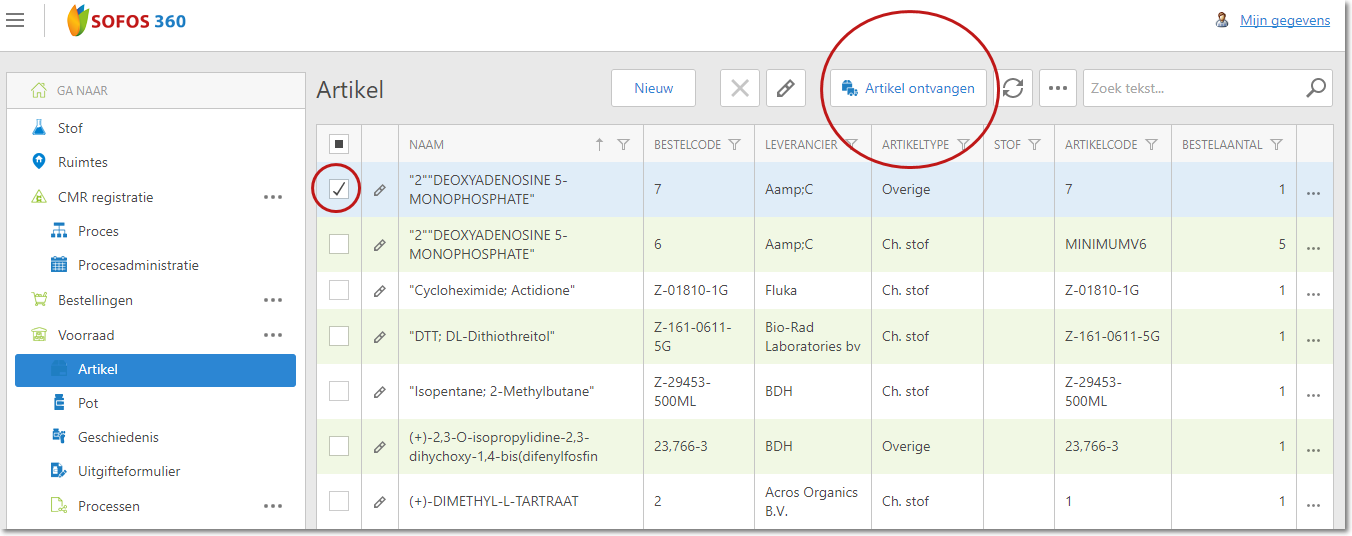
Click the Inventory module and then click 'Article'.
Select an item by checking it and click 'Receive Article'.
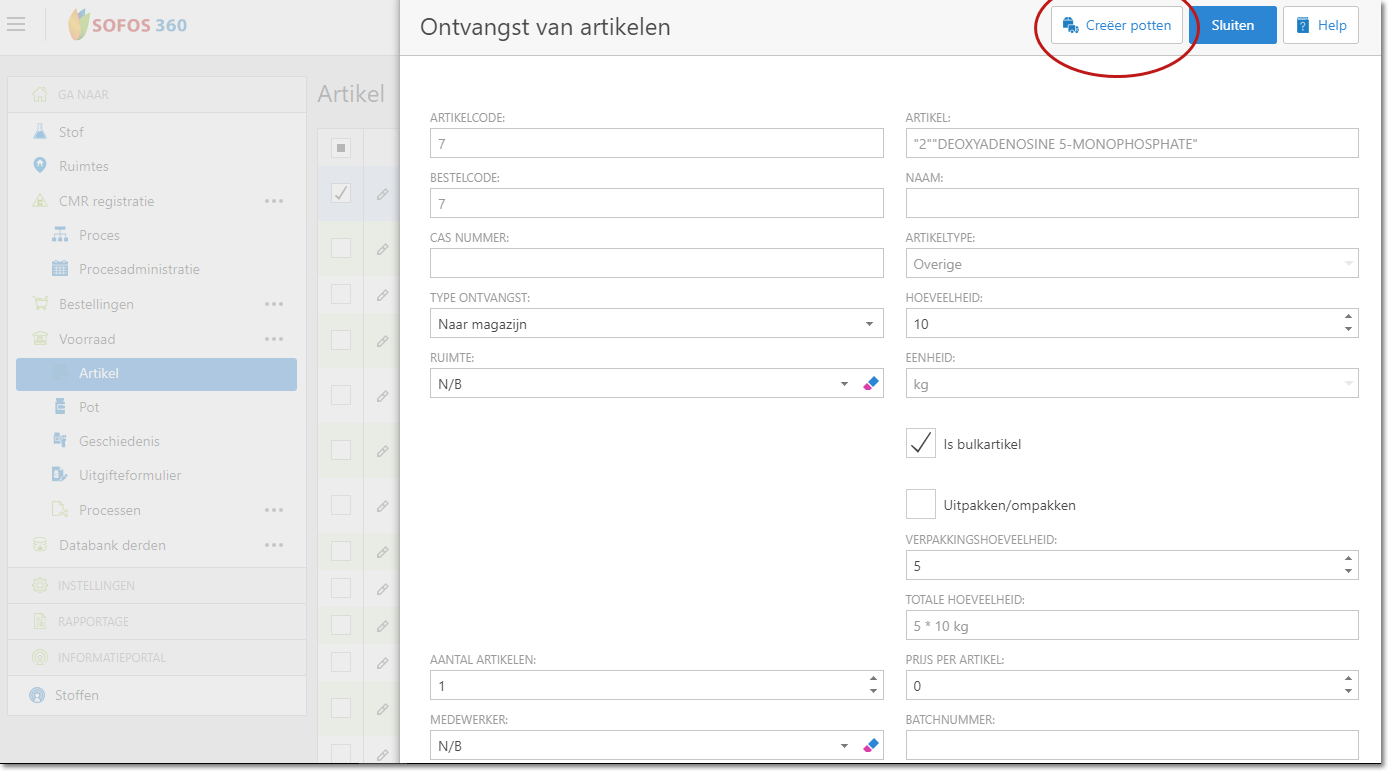
Enter the requested information and click on 'Create pots'.
The incoming item is now linked to the space that you have selected.